

Matomo Server-Side Tracking: How It Works, Setup Methods, and What It Means for GDPR
Get accurate analytics and full control of your data with Matomo server-side tracking. Route tracking through your own server to reduce data loss from ad blockers, ITP, and cookie rejections. We’ve implemented it for ecommerce, SaaS, and lead generation businesses. Tell us your setup, and we’ll identify what’s leaking.
Last Update: August 20, 2026
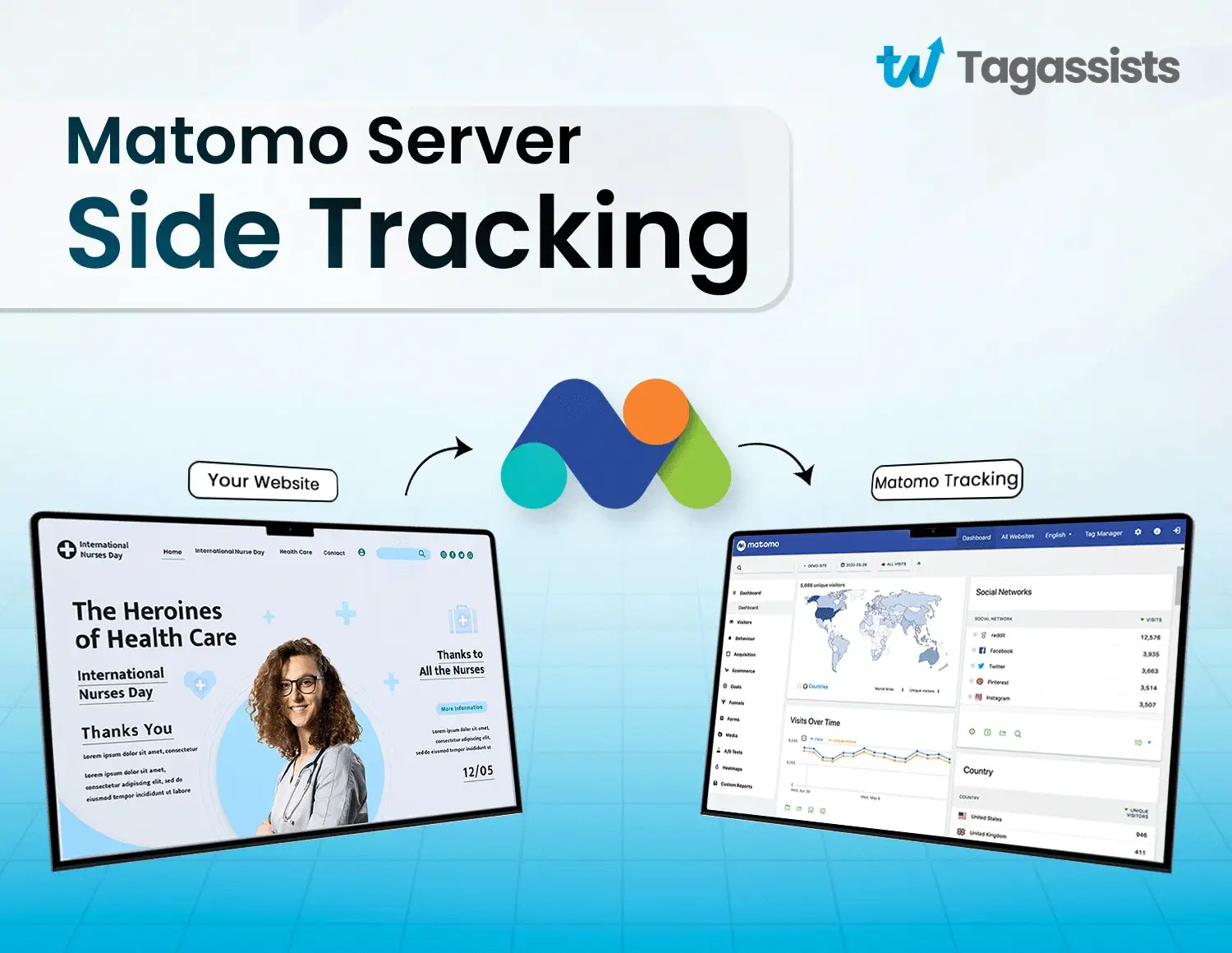
Matomo server-side tracking is one of the most reliable ways to collect accurate analytics data without losing traffic to ad blockers or browser privacy controls. Instead of depending on JavaScript in the browser, where ad blockers, Safari’s Intelligent Tracking Prevention (ITP), and cookie rejections quietly delete a large share of your traffic, data moves from your own server (or a server-side Google Tag Manager container) directly to Matomo through its Tracking HTTP API. The request looks first-party, so far fewer hits get blocked.
The payoff is real: cleaner numbers, full ownership of your data, and stronger control under GDPR. Matomo, the open-source analytics platform (formerly Piwik), is one of the few tools that lets you self-host the entire pipeline, so nothing leaves your infrastructure unless you decide it should.
At Tagassists, we set up tracking for clients every day across Google Tag Manager, GA4, Meta Pixel, and server-side pipelines. So what you’re about to read isn’t theory. It’s how we implement Matomo server-side tracking in real projects.
In this guide, we’ll cover what Matomo server-side tracking is, how it differs from server-side tagging, all four setup methods (Log Analytics, the Tracking API, server-side SDKs, and server-side GTM), a step-by-step sGTM walkthrough, how Matomo compares to GA4 server-side, the real GDPR and cookie consent picture, and where server-side setups quietly break.
What is Matomo server-side tracking?
Matomo server-side tracking is a way to collect analytics data by sending visitor interactions, like pageviews, events, and conversions, from your server or a server container directly to Matomo, instead of relying on JavaScript running in the visitor’s browser.
To understand why this matters, it helps to know Matomo itself. Matomo is an open-source web analytics platform, previously known as Piwik. Over one million websites use it, and unlike Google Analytics, you can self-host it on your own server or use Matomo Cloud. Either way, you own 100% of your data. There’s no third party in the middle, no data sampling, and no data sharing with advertisers.
By default, Matomo tracks visitors with a small JavaScript snippet in the browser. This is client-side tracking. It’s easy to install, but ad blockers, ITP, and browser cookie limits block a large share of it. That’s the leak.
Server-side tracking closes it. Your server (or a server-side GTM container you control) captures the interaction and sends it to Matomo’s tracking endpoint over HTTP. Because the request comes from a domain you own, browsers treat it as first-party. Ad blockers stop far fewer requests, cookies live longer, and events get counted more consistently. The result is more accurate data, better privacy control, and complete ownership of what you collect.
Server-side tracking vs. server-side tagging
These two terms sound the same. They are not. Mixing them up causes a lot of confusion.
Server-side tracking means sending visitor data to Matomo from your server. Matomo fully supports this today.
Server-side tagging means running a separate server that catches browser requests, processes your tags, and forwards data to different tools. Matomo’s own Tag Manager does not do server-side tagging yet. The Matomo team has said it may come in a future update.
So if you want server-side data in Matomo, you have real options right now. You just won’t do it inside Matomo Tag Manager itself.
How does Matomo server-side tracking work?
Here is the basic flow:
- A visitor does something on your site, like loading a page or clicking a button.
- That action goes to your server, or to a server container you control.
- Your server sends the data to Matomo’s tracking address using its Tracking API.
- Matomo stores the data in your reports.
The smart part is the “first-party” trick. When you send data through your own subdomain, like analytics.yourdomain.com, the browser treats it as coming from your own site. Ad blockers and Safari’s tracking protection block far fewer of these requests. So you keep more of your data.
Server-side vs. client-side tracking in Matomo
Both methods can run at the same time. Many teams use client-side for its ease and server-side for its accuracy. Here is how they compare:
What matters | Client-side | Server-side |
|---|---|---|
Setup effort | Easy | Takes more work |
Data accuracy | Lower, often blocked | Higher |
Ad-blocker resistance | Weak | Strong |
Page speed | Slower, more scripts | Faster, fewer scripts |
Data control | Less | More |
Maintenance | Low | Higher |
Client-side tracking has one big weakness. Browsers block it. Most client-side setups lose around 15% to 30% of their data. That missing data also skews your A/B tests, because people who use ad blockers get left out of the results.
If your reports keep showing fewer visitors than you know you had, that gap is the reason. We cover that problem in more detail in why Google Analytics shows zero visitors. And if your reports show no data at all, that’s usually a tracking break too, which we explain in no data available in Google Analytics 4.
Client-side is still fine for small sites or quick setups. But once accurate numbers start to drive real decisions, server-side is the better choice.
Why use server-side tracking with Matomo?
Server-side tracking with Matomo gives you more accurate data, stronger privacy control, and full ownership of your analytics. It fixes the biggest weakness of client-side tracking, which is that ad blockers and browser privacy features block a large share of your traffic before it reaches your reports.
Here’s what you actually get:
More accurate data: Fewer hits get blocked by ad blockers, Safari’s tracking protection, or broken JavaScript. Your numbers get closer to the truth.
Better privacy control: You decide what data leaves your server and what stays. That makes rules like GDPR easier to follow.
Full data ownership: Your analytics data lives on your server. No third party sits in the middle.
More reliable events: Server-side events are harder to miss, so your conversions and goals get counted more consistently.
Faster pages: Fewer scripts run in the browser, so your site loads quicker.
There is also a big win for your ads. When your conversion data is accurate, your ad platforms get better signals. If your Google Ads conversions have stopped matching your account, weak client-side data is often the reason, which we break down in Google Ads conversion tracking not working. Getting the basics right matters too, and we walk through the full conversion tracking setup.
Server-side tracking also protects your campaign data. If your UTM tags keep disappearing from reports, cleaner tracking helps fix that. Here is why UTM parameters stop working in GA4.
Four ways to set up Matomo server-side tracking
There are four main ways to send server-side data to Matomo. They go from simplest to most flexible. Pick the one that fits your setup.
1. Log Analytics (import your server logs)
Every web server keeps logs of what it serves. Matomo can read those logs from Apache or Nginx and turn each request into a data point. This helps when you cannot add any tracking code to your site. It is the simplest option, but also the most basic.
2. Matomo Tracking HTTP API
This is the direct route. You send visitor data straight to Matomo’s tracking address, which is matomo.php. It gives you the most control over what you track. The trade-off is that it needs developer work to set up.
3. Server-side SDKs (PHP, Java, Python, and more)
Matomo offers ready-made libraries, called SDKs, for many programming languages. You use them to track actions in your apps, APIs, or server backends. If you have a developer, this keeps things clean. On WordPress, for example, you would use the Matomo PHP tracker in your code.
4. Server-side Google Tag Manager (server container)
This is the most popular method today. You set up a server container in Google Tag Manager. The browser sends data to your container, and the container forwards it to Matomo. You get a friendly interface plus all the benefits of server-side. We will walk through this one next.
How to set up Matomo with server-side Google Tag Manager
Server-side GTM is the most popular way to run Matomo server-side because you get a visual interface, easy debugging, and can forward the same data to GA4 and Meta from one container. Here’s the full setup, from prerequisites to verification.
What you need first
Before you start, get these ready:
- A Matomo instance (Cloud or self-hosted)
- A server container in Google Tag Manager (also called sGTM)
- Your Matomo tracking URL
- Your site ID (find it under Manage Measurables in Matomo)
- Your auth token (find it under Settings, then Personal, then Security)
Import the Matomo client template
Now bring the Matomo client into your server container:
- Download the Matomo client template.
- Log in to Google Tag Manager and open your server container.
- Go to Templates, then Client Templates, then click New.
- Click the three-dot menu in the top right and choose Import.
- Upload the template, then save.
- Go to Clients and add the Matomo Server-side Client.
Set up events, goals, ecommerce, and custom dimensions
Here is something to know upfront. The Matomo tag works a bit differently from other tags. You create a separate tag for each event you want to send, such as page views, actions, goals, outlinks, and site search. It also supports custom dimensions and heartbeat requests, which measure how long people stay on a page.
You need clean event data flowing into your container first. If you are not sure how to capture events like form submissions, we explain it in how to track any form in GA4 using GTM. The same goes for tracking outbound link clicks.
Track ecommerce server-side
If you run a store, Matomo can track purchases server-side. The tag reads your event data and maps it to ecommerce actions on its own. If you set values manually, those take priority.
Ecommerce setups often depend on your platform. We have specific guides for Shopify conversion tracking and BigCommerce conversion tracking that pair well with a server-side approach.
Check that tracking is firing
A silent failure at this stage costs you weeks of bad data before you notice. Verify in three places before you publish:
- Turn on Preview mode in Google Tag Manager and confirm your Matomo tag fires on the expected events.
- Open your site in an incognito window with DevTools open, and check the Network tab for requests to your Matomo tracking URL returning a 200 status.
- Log in to Matomo and use the Visitors > Real-time report to confirm the hits, events, and any ecommerce values are landing with the correct parameters.
If all three match, publish your container. If one is off, the Preview mode logs will usually point to the misconfigured tag or trigger.
Matomo vs. GA4 for server-side tracking
Matomo and GA4 both support server-side tracking through a Google Tag Manager server container, and the setup process looks nearly identical. The real difference is where your data ends up, and that changes what each one is good for.
With GA4, your data still flows to Google’s servers. That raises questions about who really controls it. With Matomo, the data stays with you. Matomo wins on ownership and privacy. GA4 sometimes wins on convenience, since more people already know it.
You don’t have to pick just one. Many teams forward data to both Matomo and GA4, and even Meta, from the same server container.
If you are still learning how the core numbers differ, our guide on sessions vs. pageviews helps.
Does server-side tracking make you GDPR-compliant?
No. Server-side tracking on its own does not make you GDPR-compliant. Matomo still sets first-party cookies and collects personal data like IP addresses and visitor IDs by default, so you still need proper consent before you collect it. Server-side tracking gives you more control over that data, which makes compliance easier, but it doesn’t remove the rules.
This is the most misunderstood part of server-side tracking, so let’s break it down.
By default, server-side Matomo still sets first-party cookies, named _pk_id and _pk_ses. It still collects IP addresses, visitor IDs, and device details. All of that can count as personal data under privacy law.
Here is the nuance most articles skip. Matomo can run in a cookieless, anonymized mode. In that mode, Matomo and privacy lawyer Thomas Schwenke have said you may be able to skip the cookie banner. The catch is that without cookies, Matomo has a harder time spotting returning visitors, so some numbers get less precise.
This depends on your country and your setup. Always confirm with your legal team or data protection officer before you rely on it.
To stay on the safe side:
- Get consent before you collect data.
- Turn on IP anonymization.
- Set sensible data retention limits.
- Connect your consent tool (CMP) the right way.
Where server-side setups quietly go wrong
A server-side setup can look perfect in Google Tag Manager and still send bad data to Matomo. The failures don’t throw errors, they just quietly skew your numbers. These are the four we see most often:
Duplicate hits. If both client-side and server-side tracking fire for the same action, you count it twice. This inflates your numbers. We break down duplicate events and how to fix them.
Missing events. Sometimes events just don’t show up. This often comes from a setup gap or a broken trigger. Here is what to check when GA4 events are not showing up in reports.
Wrong IP or location. If you forget the auth token, Matomo can log the wrong IP address and region.
Failed checks. Cache layers and consent tools can block or delay data. Always test on a staging site before you go live.
Each of these is fixable, but only if you spot it early. That’s why we treat verification as part of the setup, not an afterthought, and why we recommend running client-side and server-side in parallel for a short window so you can compare and validate.
How Tagassists sets up Matomo server-side tracking for you
Need Help with Matomo
Server-Side Tracking?
We handle the complete setup so you get accurate data without the technical hassle.
Matomo server-side tracking pays off when the pipeline is clean end-to-end: the right method for your stack, correctly configured events and ecommerce, consent handled properly, and numbers that reconcile against your ad platforms. Miss any one of those and the accuracy gain disappears.
Here is how we handle it at Tagassists:
- We check how much data you are losing right now.
- We pick the right method for your site: Log Analytics, API, SDK, or server-side GTM.
- We set up your server container, events, ecommerce, and custom dimensions.
- We wire up consent the right way.
- We match your data against your ad platform numbers, so everything lines up.
We don’t just do Matomo. We connect it with GA4, Meta Pixel, and your other ad platforms in one clean setup. See our analytics setup services. You can also see the kind of results this brings in our FundedNext case study.
Frequently asked questions
Does server-side tracking let me skip the cookie consent banner?
Not on its own. By default it still sets first-party cookies and collects IPs and visitor IDs, so consent rules still apply. Matomo can run cookieless and anonymized, and in that mode Matomo and lawyer Thomas Schwenke say you may be able to skip the banner. It depends on your country, so check with your legal team first.
Does Matomo support server-side tracking?
Yes. You can use Log Analytics, the Tracking HTTP API, server-side SDKs, or a Google Tag Manager server container. Server-side tagging inside Matomo Tag Manager is not supported yet, though it may come later.
Do I need Matomo On-Premise, or does Matomo Cloud work?
Both work. On-premise is free and self-hosted. Matomo Cloud starts at around $23 per month for up to 50,000 actions. The choice comes down to managing your own server versus paying for convenience.
How do I set up Matomo server-side tracking on WordPress?
There is no one-click button. You set it up with the Matomo PHP tracker in your code, or you route data through a server container. It takes some developer work.
Will server-side tracking slow down my website?
It can if you set it up carelessly. The PHP tracker waits for a response, so it should run late in the page load. A server-container setup avoids adding browser scripts at all.
How much does Matomo server-side tracking cost to run?
Beyond the Cloud or on-premise cost, plan for server resources and upkeep. The real cost of server-side is maintenance, not the tool itself.
Does server-side tracking stop ad blockers completely?
No, but it blocks far fewer requests because they look first-party. You keep much more of your data than with client-side alone.
Can I use Matomo and GA4 server-side at the same time?
Yes. One server container can send data to both.
Why don't my Matomo numbers match after switching?
Usually it’s duplicate or missing hits from client-side and server-side both firing, or a clash with your cache or consent tool.

Abdullah Al Zahid
Abdullah Al Zahid is the CEO & Founder of tagassists and a media buying specialist with over 4 years of experience. He has managed more than $7.5M in advertising spend, helping businesses grow through effective digital marketing, web analytics, and tracking solutions.