AI Traffic in Google Analytics 4: How to Track, Segment and Analyze It
Last Update: June 21, 2026
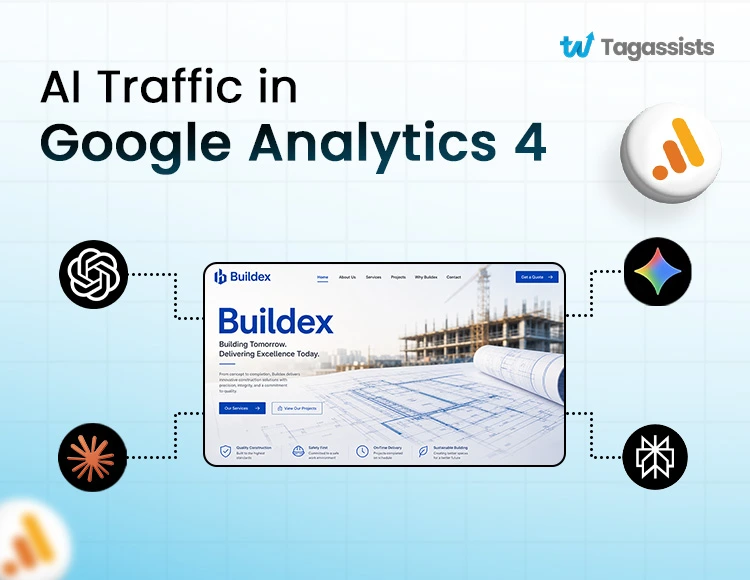
AI traffic in Google Analytics 4 refers to visitors who reach your website through AI platforms such as ChatGPT, Gemini, Claude, and Perplexity. While GA4 now includes a native AI Assistant channel, much of this traffic can still be misattributed or hidden. By using custom channel groups, proper tracking configurations, and dedicated reporting, you can accurately measure AI-driven visits, engagement, and conversions.
In early 2025, a SaaS founder discovered that 88% of his GA4 traffic was showing up as Direct. After surveying 400 new users, he found that ChatGPT was actually his biggest traffic source, something GA4 wasn’t revealing.
This is not a rare edge case. AI tools like ChatGPT, Perplexity, Claude, and Gemini are now sending real traffic to websites across every industry. AI referrals to top websites grew 357 percent year over year through June 2025. ChatGPT alone accounts for roughly 78 percent of all AI referral traffic globally as of mid-2026. And until May 13, 2026, GA4 had no dedicated way to show any of it.
While reviewing a client’s GA4 setup recently, we noticed Google had started categorizing some AI-driven traffic under the new AI Assistant channel group. That’s a helpful update, but it only covers part of the picture.
Traffic from platforms like Perplexity, Grok, DeepSeek, and Meta AI isn’t always tracked consistently. And visits influenced by Google’s AI Overviews are still reported as Organic Search, making true AI-driven traffic harder to measure.
Today we are sharing everything we look at when a client wants to understand their AI traffic: what it is, how GA4 handles it now, how to fix what the native channel still misses, how to find AI traffic hiding in your Direct channel, how to build a Looker Studio dashboard for it, and how to use the data to make better decisions.
Key Points:
- GA4 added a native AI Assistant channel on May 13, 2026, but it does not capture all AI traffic.
- ChatGPT dominates AI referrals at approximately 78 percent of all AI traffic globally.
- Up to 70 percent of real AI-driven sessions may still show as Direct or Referral even after the update.
- A custom channel group with regex is still required to capture Perplexity, Grok, DeepSeek, and emerging platforms.
- AI visitors have a 74 percent engagement rate on average, higher than organic search, but convert slower.
Struggling to Track AI Traffic?
Tagassists makes it simple to identify and analyze AI-driven users in
Google Analytics 4
What Is AI Traffic and Why Does It Matter
AI traffic is any website visit that originates from an AI-powered search engine or chatbot. AI traffic refers to website visitors who discover your content through AI tools such as ChatGPT, Perplexity, Gemini, Claude, or Copilot and then click through to your site. For example, a user asks a question, the AI recommends your article or product, and the user follows the link. That visit is considered AI traffic.
There are two very different kinds of AI activity that businesses often conflate.
- AI referral traffic: Real human visitors who clicked a link from an AI tool. This shows up in GA4 and is what this guide is about.
- AI bots and crawlers: Automated systems that scan your site for training data or indexing. These never appear in GA4 at all because they don’t execute JavaScript. You’d only see them in server logs.
Accurate AI traffic analysis depends on reliable event tracking. If conversions or engagement events are missing, review our guide on Google Analytics 4 events not showing up in reports.
Why AI Traffic Behaves Differently from Search and Social
AI referral visitors don’t behave like someone who clicked a Google result or a Facebook ad. They arrive with higher intent and narrower context. When someone clicks a ChatGPT-cited link, they’ve already had a conversation about the topic. They know roughly what they’re looking for. Your page isn’t the starting point of their research journey. It’s usually near the end.
That context changes how they engage with your site:
- Engagement rate averages 74 percent for AI Assistant channel traffic, compared to 50-60 percent for organic search.
- Average session duration runs 2-4 minutes. These visitors actually read.
- Conversion rate sits at 1.5-3.2 percent, lower than paid search but that’s because AI users research thoroughly before they decide, not because they’re low quality.
AI referrals to top websites grew 357 percent year over year through June 2025. ChatGPT accounts for roughly 78 percent of all AI referral traffic as of mid-2026, and platforms like DeepSeek surged 312 percent in a single month when their R1 model launched in January 2025. This is not a niche signal. It’s a fast-moving channel that most analytics setups are not yet built to see.
How GA4 Has Historically Misattributed AI Traffic
Before May 2026, GA4 had no dedicated AI traffic category. The platform simply read whatever technical information was available at the start of a session: the referrer domain, UTM parameters, or nothing at all. What it read determined where your traffic landed. More often than not, that meant AI traffic ended up somewhere wrong.
Understanding the difference between sessions vs pageviews in Google Analytics can make AI traffic reporting much easier to interpret.
Here is how GA4 typically classified AI traffic before the update:
- Referral: When an AI platform passed a recognizable referrer domain like chatgpt.com or perplexity.ai, GA4 logged the session as referral traffic. This was the best-case scenario because the source was at least visible.
- Direct: When an AI platform stripped the referrer (which happens in in-app browsers, when users copy-paste a link, or when the platform simply doesn’t pass referrer headers), GA4 had nothing to go on. The session landed in Direct with no source information.
- Unassigned: When traffic came in without any UTM parameters and no matching channel rule, GA4’s default grouping put it in Unassigned. Some AI traffic ended up here too.
The Direct problem is the most damaging. A significant portion of AI-driven traffic arrives without a referrer. This means your Direct channel in GA4 is almost certainly larger than it should be, and a meaningful slice of it is AI traffic that you can’t currently attribute to anything.
This is why the story from the introduction rings true for so many businesses. An unexplained spike in Direct traffic, a suspiciously high Direct percentage, conversions with no traceable source; these are often signs that AI tools are sending visitors that GA4 can’t see properly.
GA4's New Native AI Assistant Channel (May 2026 Update)
On May 13, 2026, Google made a significant change to GA4’s Default Channel Group. Here is exactly what changed and what it means for your reporting.
Change | Before May 2026 | After May 13, 2026 |
AI Channel | No native AI channel. AI traffic hidden inside Referral, Direct, or Unassigned. | AI Assistant default channel added to GA4 automatically. |
Medium Value | Mixed. Could be referral, direct, or empty depending on the platform. | New ai-assistant value is auto-assigned to qualifying sessions. |
Campaign Label | Unassigned or mixed with other campaigns. | Auto-labeled as (ai-assistant) for clean reporting. |
Supported Platforms | Manual regex setup required for ChatGPT, Perplexity, and Claude. | ChatGPT, Gemini, and Claude are now recognized natively with no setup. |
Where to Find the AI Assistant Channel in GA4
Finding the AI Assistant Channel in GA4 is simple.
Go to Reports > Acquisition > Traffic Acquisition.
In the table below the graph, click the dimension dropdown (it usually defaults to Session default channel group). You should see AI Assistant listed alongside Organic Search, Paid Search, Referral, and Direct.
From there you can see sessions, engagement rate, key events (conversions), and revenue attributed to AI assistant referrals. No custom setup required for the platforms GA4 recognizes natively.
What the Native Channel Does NOT Cover
The native channel is genuinely useful, but it’s not a complete solution. Several important limitations remain.
- Perplexity, Grok, DeepSeek, Meta AI, You.com and other platforms may or may not be included. Google has not published a definitive list of recognized domains, and community reports suggest coverage is inconsistent.
- Sessions where the AI platform stripped the referrer still land in Direct. The native channel only works when a referrer is passed and recognized. No referrer means no attribution.
- AI Overviews inside Google Search are invisible. When a user clicks a link from a Google AI Overview, the referrer passed is google.com. GA4 reads it as organic search. There is no way to separate AI Overview clicks from standard organic clicks in GA4 alone.
- Historical data is not retroactive. Sessions from before May 13, 2026 will not be reclassified. Your historical AI traffic remains permanently in Referral, Direct, or Unassigned depending on how it was originally recorded.
How to Set Up a Custom Channel Group for AI Traffic in GA4
A custom channel group lets you define exactly which referrer domains count as AI traffic, using a regex pattern that you control and update. This is the setup that captures Perplexity, Grok, DeepSeek, Meta AI, and any other AI platform not natively recognized by GA4.
Once AI traffic is segmented correctly, combining it with Google Analytics search terms tracking can reveal the queries driving user engagement.
Follow these steps:
Step 1: Create a New Channel Group
In GA4, navigate to Admin → Data Display → Channel Groups. Click Create New Channel Group and give it a descriptive name such as AI Traffic (2026).
Step 2: Add a New Channel
Open your newly created channel group and click Add New Channel. Name the channel AI Search so it’s easy to identify in reports later.
Step 3: Configure the Channel Rules
Under the channel conditions, select Source matches regex and paste the AI traffic regex pattern. This tells GA4 which AI platforms should be grouped under the new channel.
Step 4: Set the Channel Priority
Move the AI Search channel above Referral in the channel order. GA4 processes channel rules from top to bottom, so the placement determines how traffic is categorized.
Step 5: View Your AI Traffic Reports
Go to Reports → Acquisition → Traffic Acquisition. From the channel group dropdown, select your custom AI Traffic (2026) channel group to start analyzing visits from AI platforms separately from other traffic sources.
The Regex Pattern to Use in 2026
Copy this regex pattern exactly and paste it into the Source matches regex condition:
chatgpt\.com|chat\.openai\.com|perplexity\.ai|claude\.ai|gemini\.google\.com|bard\.google\.com|copilot\.microsoft\.com|deepseek\.com|grok\.com|x\.ai|meta\.ai|you\.com|mistral\.ai|huggingface\.co|writesonic\.com
This regex covers all major AI platforms as of mid-2026. Review and update it quarterly. New platforms appear regularly. Keep your custom AI channel above Referral in the priority order. If you don’t, GA4 will classify chatgpt.com traffic as Referral instead of AI.
The AI Traffic Dark Traffic Problem: Why Your Data Is Still Incomplete
Even with the native AI Assistant channel and a custom channel group, you’re still not seeing all of your AI traffic in GA4. A large portion can remain hidden due to tracking and attribution limitations. This is the dark traffic problem, and it’s one of the biggest challenges when measuring AI-driven traffic today.
The honest answer is that your GA4 data for AI traffic will always undercount the real volume. The practical approach is to use GA4 data as a directional signal rather than an absolute number. If your AI channel is growing week over week, something is working. If specific landing pages consistently receive AI traffic, those pages are being cited by AI tools.
Here is a full breakdown of what GA4 still cannot track, why it happens, and what (if anything) you can do about it:
1. Limitation: In-app Browser Navigation
Why It Happens: Traffic coming from embedded browsers or copy-pasted URLs often doesn’t pass referral data to GA4.
Best Workaround: There isn’t one. These visits typically appear as Direct traffic and should be treated as a known attribution gap.
2. Limitation: Emerging AI Tools
Why It Happens: New AI platforms aren’t always included in GA4’s default AI traffic detection rules.
Best Workaround: Review and update your custom channel group regex regularly to include newly emerging AI sources.
3. Limitation: AI-Generated Answers Without Clicks
Why It Happens: Users may get the information they need directly from the AI response without ever visiting your website.
Best Workaround: No workaround exists. If no click occurs, no session is created and nothing can be tracked.
4. Limitation: Bot Traffic Mixed In
Why It Happens: Some AI crawlers and scrapers can appear in analytics data and inflate traffic numbers.
Best Workaround: Focus on Engaged Sessions and filter out sessions with extremely short durations or no meaningful interaction.
5. Limitation: EU and Consent-Gated Traffic
Why It Happens: Privacy regulations and consent requirements can limit tracking accuracy, resulting in incomplete data. Missing attribution isn’t always caused by AI platforms. Problems such as UTM parameters not working in Google Analytics 4 can create similar reporting gaps.
Best Workaround: Implement Consent Mode v2 correctly and use modeled conversions to fill reporting gaps where appropriate.
5 Methods How to Track AI Overviews Traffic in GA4
Google AI Overviews is the hardest AI traffic problem to solve in GA4. When a user clicks a link inside a Google AI Overview, the referrer passed to GA4 is google.com, the same referrer as standard organic search. There is no flag, no additional parameter, and no way to distinguish an AI Overview click from a regular organic click inside GA4 alone.
There are 5 approaches that give you partial visibility:
Method 1: The Quick Check (Source/Medium)
The easiest way to see direct clicks from conversational AI platforms (like ChatGPT, Gemini, or Perplexity) is by checking your referral traffic.
- Go to Reports > Acquisition > Traffic acquisition.
- Change the primary dimension to Session source/medium.
- Type chatgpt, gemini, perplexity, or claude in the report search bar to isolate sessions.
Method 2: Create a Custom AI Channel Group
To make sure AI traffic is consistently categorized rather than lumped into broad “Referral” or “Organic Search” buckets, you can set up a custom channel in GA4.
- Go to Admin > Data display > Channel groups.
- Click Create new channel group and name it AI Traffic.
- Click Add new channel and name it Artificial Intelligence.
- Set condition to: Session source > matches regex > chatgpt\.com|openai\.com|perplexity\.ai|claude\.ai|gemini\.google\.com|copilot\.microsoft\\.com|you\.com
- Click Reorder and drag your new AI channel up so it sits above the standard Referral channel.
- Save your group.
Method 3: Track URL Text Fragments (via Google Tag Manager)
When users click your site from Google’s AI Overviews, Google appends a client-side text fragment (e.g., #:~:text=) to the URL to highlight the referenced text on your page. GA4 cannot capture these fragments natively, so you need Google Tag Manager (GTM).
- Extract Fragments: In GTM, use Custom JavaScript variables to parse the URL and pull the text fragment.
- Send to GA4: Pass those extracted values into GA4 as an event parameter (e.g., snippet_text) on your page_view or custom event tag.
- Register Custom Dimensions: In GA4, go to Admin > Custom definitions and register snippet_text as a Custom Dimension.
- Build the Report: Build an Exploration report using your new snippet_text dimension against Landing Page to see which pages are cited and clicked in AI overviews.
Method 4: Use Google Search Console + BigQuery
Google Search Console records AI Overview impressions and clicks, but GA4 doesn’t show them separately. By connecting Search Console data to BigQuery and comparing it with GA4 session data, you can identify patterns between AI Overview clicks and traffic increases on specific pages.
- Connect your Search Console property to BigQuery.
- Export and analyze AI Overview impression and click data.
- Cross-reference the data with GA4 landing page and session metrics.
- Look for traffic spikes that align with AI Overview visibility.
- Use the findings to estimate the impact of AI Overviews on your traffic.
Method 5: Monitor Branded Search Spikes
AI Overviews often increase brand awareness even when users don’t click directly from the AI result. Many users see a brand mentioned in an AI Overview and then search for that brand separately.
- Monitor branded search queries in Google Search Console.
- Track changes in branded organic traffic over time.
- Compare branded search spikes with increases in traffic to key pages.
- Look for patterns that coincide with AI Overview visibility.
- Use these trends as a directional indicator of AI Overview influence.
How to Find and Analyze AI Traffic in GA4 Reports
There are three practical methods for viewing AI traffic in GA4, from a quick one-minute check to a permanent analytical setup. Each serves a different need.
Method 1: Quick Check in the Traffic Acquisition Report
This is the fastest way to see AI traffic without any setup. Go to Reports > Acquisition > Traffic Acquisition. In the table below the graph, open the dimension dropdown and select Session source/medium. Type chatgpt in the search filter and press Enter. You’ll see sessions from chatgpt.com / referral immediately.
To see all AI platforms at once, type a broader search term like perplexity or ai in the same filter. This is a manual process you have to repeat each time, but it takes under 60 seconds and needs no configuration.
- Good for: A quick one-off check to see if AI traffic exists in your property.
- Not good for: Regular reporting, trend analysis, or comparing AI traffic against other channels.
Method 2: Using the Native AI Assistant Channel (Post May 2026)
If your GA4 property shows the AI Assistant channel, this is the cleanest way to report on it. Go to Reports > Acquisition > Traffic Acquisition. Set the primary dimension to Session default channel group. Scroll to find AI Assistant in the table.
From here you can see sessions, engagement rate, key events, and revenue for the AI Assistant channel side by side with Organic Search, Paid Search, Referral, and Direct. You can also change the date range and compare periods to see growth trends.
Note: If you don’t see the AI Assistant channel yet, check the date range. The channel only applies to sessions from May 13, 2026 onward. Data before that date remains in the older channel classifications.
- Good for: Clean, consistent ongoing reporting on natively recognized AI platforms.
- Not good for: Capturing Perplexity, Grok, DeepSeek, and platforms not in the native list.
Method 3: Custom Exploration Using the Custom Channel Group
This is the most complete setup for analyzing AI traffic in depth. It combines your custom channel group (which captures all AI platforms via regex) with GA4’s Explorations tool for full flexibility.
Before analyzing AI conversions, make sure you’re not dealing with duplicate events in Google Analytics 4, which can inflate performance metrics.
- Step 1: Go to Explore > New Blank Exploration.
- Step 2: Add dimensions: Session Source/Medium, Session Source, Page Referrer.
- Step 3: Add metrics: Sessions, Engaged Sessions, Key Events (conversions).
- Step 4: Go to Segments > Custom Segment > Session Segment. Name it AI Traffic.
- Step 5: Set condition: Session Source matches regex. Paste your regex pattern.
- Step 6: Set visualization to Line Chart. Set breakdown to Session Source/Medium.
Step 7: Set time range to last 90 days. Set granularity to Week.
Once your exploration is built, you can break down AI traffic by landing page, device type, country, browser, and user type. You can also create a funnel tab to see how AI visitors move through your conversion flow. This is the setup we do at Tagassists for any client who wants to understand AI traffic properly rather than just confirm it exists.
Which AI Platforms Send Traffic and Their Domain Patterns
Knowing the referrer domain for each AI platform matters for two reasons. First, it tells you which platforms to include in your regex. Second, it tells you what to look for in Traffic Acquisition reports when filtering by Session source.
ChatGPT’s share of AI referral traffic is starting to shrink, not because it’s sending less traffic but because other platforms are growing faster. Perplexity is gaining share in research-heavy niches. DeepSeek surged 312 percent in a single month. The long tail of AI platforms is becoming the main event faster than most people expected.
Update your regex every quarter. A platform that wasn’t on anyone’s radar in October can be sending thousands of sessions by January.
Here is the platform breakdown as of mid-2026:
AI Platform | Referrer Domain(s) | Traffic Share (Mid-2026) | Notes |
ChatGPT | chatgpt.com, chat.openai.com | ~78% of all AI referrals | Largest AI traffic source by far. Natively recognized in GA4. |
Gemini | gemini.google.com, bard.google.com | Second largest, growing | Natively recognized. Watch for AI Overviews confusion. |
Perplexity | perplexity.ai | ~15% of AI referral traffic | Strong in research and informational queries. Needs regex. |
Microsoft Copilot | copilot.microsoft.com, bing.com/chat | Smaller but growing | Needs regex setup to capture reliably. |
Claude | claude.ai | Moderate | Natively recognized in GA4 from May 2026. |
DeepSeek | deepseek.com | Surged 312% in Jan 2025 | Growing fast. Must be added to your custom regex. |
Grok | grok.com, x.ai | Smaller, growing | Review quarterly as X platform evolves. |
Meta AI | meta.ai | Small but trackable | Add to regex to capture Facebook/Instagram AI referrals. |
You.com, Mistral, others | Various | Emerging | Update your regex every quarter to stay ahead. |
Key Benchmarks: What Does Good AI Traffic Performance Look Like?
One of the most common questions clients ask us is: once we can see our AI traffic, how do we know if it’s performing well? Here are the benchmarks to measure against, based on aggregated 2026 industry data.
Metric | AI Assistant Channel | What It Means for You |
Engagement Rate | 74% average | Significantly higher than Organic Search (50-60%). AI visitors pay attention. |
Traffic Share | 2-8% of total traffic | Doubled from the 2025 baseline. Growing fast across all industries. |
Conversion Rate | 1.5-3.2% | Lower than Paid Search. AI users research deeply before they decide. |
Avg. Session Duration | 2-4 minutes | Longer than most channels. These visitors actually read. |
YoY Growth | +357% referrals | AI referrals to top websites grew 357% year over year through June 2025. |
How to Build an AI Traffic Dashboard in Looker Studio
A Looker Studio dashboard connected to GA4 gives you a permanent, shareable view of AI traffic that doesn’t require opening Explorations every time. It’s also the best way to present AI traffic data to clients or stakeholders who aren’t inside GA4 regularly.
- Step 1: Connect Looker Studio to GA4
Connect your Looker Studio report to your GA4 property. - Step 2: Apply the AI Traffic Filter
Set a report-level filter using Session Default Channel Group = AI Search (or the name of your custom AI channel). - Step 3: Create an AI Traffic Trend Chart
Add a time-series chart showing AI sessions over the last 90 days, grouped by week. - Step 4: Create an AI Share of Total Traffic Chart
Display AI sessions as a percentage of total website sessions. - Step 5: Create an AI by Platform Chart
Break down sessions by AI source, such as ChatGPT, Gemini, Perplexity, Claude, and other platforms. - Step 6: Create an AI Conversion Rate vs Organic Chart
Compare key events and conversion rates between AI traffic and Organic Search traffic. - Step 7: Create a Top Landing Pages Chart
Show landing pages ranked by AI-driven sessions and engagement rate. - Step 8: Create an AI Traffic by Country Chart
Display AI sessions segmented by country or geographic region.
Panels to include and what each one tells you:
- AI Traffic Trend: Sessions from AI channels over the last 90 days, tracked week by week.
- AI Share of Total Traffic: AI sessions as a percentage of total website sessions.
- AI by Platform: Sessions grouped by AI source such as ChatGPT, Gemini, Perplexity, Claude, and others.
- AI Conversion Rate vs Organic: Comparison of key events and conversions from AI traffic versus Organic Search.
- Top Landing Pages from AI: Landing pages ranked by AI-driven sessions and engagement rate.
- AI Traffic by Country: AI sessions segmented by country or geographic region.
What Changed in 2026: The AI Traffic Tracking Timeline
For anyone who wants to understand the full picture of how GA4 has evolved its treatment of AI traffic, here is the key timeline:
- Early 2025: AI referral traffic begins appearing in GA4 as chatgpt.com / referral and perplexity.ai / referral. No dedicated channel. Traffic either shows in Referral or Direct depending on whether the referrer was passed.
- January 2025: DeepSeek R1 launches. DeepSeek referral traffic surges 312 percent in a single month. Many analytics setups aren’t tracking it at all.
- Mid-2025: AI referral traffic to top websites grows 357 percent year over year. Community awareness of the GA4 blind spot increases significantly.
- May 13, 2026: Google adds the AI Assistant default channel to GA4. ChatGPT, Gemini, and Claude are natively recognized. Sessions from May 13 onward are auto-classified. Historical data is not retroactive.
- June 2026: Community reports confirm the AI Assistant channel is populating in more GA4 properties. Coverage for Perplexity, Grok, DeepSeek, and Meta AI remains inconsistent. Custom regex setups still required.
How Tagassists Helps Businesses Track and Report AI Traffic Accurately
Are You Tracking AI
Traffic Correctly?
Get visibility into traffic from ChatGPT, Gemini, Perplexity, and other AI platforms.
While reviewing analytics for a client recently, we found that a large share of their AI-driven visits weren’t being reported correctly in GA4. Some traffic was showing up as Direct, while other visits were mixed into Organic Search. Once proper tracking and channel grouping were implemented, they gained a much clearer picture of where visitors were actually coming from.
This is becoming a common challenge. AI traffic now accounts for roughly 2-8% of website traffic for many businesses, and AI referrals have grown by more than 350% year over year. Without the right setup, it’s easy to underestimate the impact AI platforms are having on traffic, engagement, and conversions.
At Tagassists, we help businesses build accurate GA4 tracking, custom AI channel groups, attribution reporting, and Looker Studio dashboards. As AI-driven discovery continues to grow, having reliable tracking in place is no longer optional. It’s the only way to understand how AI traffic contributes to your marketing performance and business growth.
Conclusion
AI traffic is real, it’s growing fast, and most GA4 setups are significantly undercounting it. The businesses getting ahead in 2026 are the ones treating AI traffic like a channel that deserves its own setup, its own reporting, and its own strategy. Get your GA4 configured to see it properly, and you’ll have an accurate picture of one of the fastest-growing acquisition channels on the web.
Here are the key takeaways:
- The native AI Assistant channel added on May 13, 2026 is a useful starting point but only covers ChatGPT, Gemini, and Claude natively.
- A custom channel group with regex is still required to capture Perplexity, Grok, DeepSeek, Meta AI, and emerging platforms.
A meaningful portion of AI traffic remains permanently invisible in GA4 due to stripped referrers showing as Direct. - AI Overviews from Google Search cannot be separated from organic search in GA4 without using Search Console and BigQuery.
- AI traffic has a 74 percent engagement rate on average and visits that last 2-4 minutes. It’s high quality even if it converts slowly.
Frequently Asked Questions
What is AI traffic in Google Analytics 4?
AI traffic in GA4 refers to real human visitors who arrived at your website by clicking a link cited by an AI tool such as ChatGPT, Perplexity, Gemini, or Claude. It does not include AI bots or crawlers, which never appear in GA4 because they don’t execute JavaScript. From May 13, 2026, GA4 automatically classifies some of this traffic under a dedicated AI Assistant channel.
Does GA4 automatically track AI traffic from ChatGPT?
Yes, from May 13, 2026 onward, GA4 automatically classifies ChatGPT traffic under the native AI Assistant channel group with no setup required. However, this only applies to sessions where chatgpt.com passed a referrer. Sessions where the referrer was stripped still land in Direct. For full coverage, you also need a custom channel group with a regex pattern.
Why is my AI traffic showing up as Direct in GA4?
When a user accesses your site from an AI tool through an in-app browser, by copy-pasting a link, or when the AI platform doesn’t pass a referrer header, GA4 receives no source information. It defaults to Direct. This is one of the core limitations of GA4’s current AI traffic tracking. The only partial fix is a custom channel group, but sessions with no referrer at all cannot be recovered regardless of your setup.
Can I track Google AI Overviews traffic in GA4?
Not directly. When a user clicks a link from a Google AI Overview, the referrer passed to GA4 is google.com, which is identical to standard organic search traffic. GA4 cannot distinguish between the two. The best approach is to use Google Search Console data alongside GA4, since GSC records AI Overview impressions and clicks separately.
How often should I update my AI traffic regex in GA4?
Review and update your regex at least once per quarter. New AI platforms are launching frequently, and an existing platform’s domain can change without notice. DeepSeek, for example, surged 312 percent in a single month when their R1 model launched in January 2025. If you’re not updating your regex regularly, you’re already missing traffic from platforms that didn’t exist six months ago.
What is a good engagement rate for AI traffic in GA4?
The 2026 industry average engagement rate for the AI Assistant channel is 74 percent, which is significantly higher than organic search (50-60 percent). If your AI traffic engagement rate is below 60 percent, the landing pages being cited by AI tools may not be well-matched to the intent of users who are clicking through. Above 80 percent suggests strong content-to-intent alignment.
Why Channel Order Matters
GA4 assigns sessions to the first channel rule that matches. If your AI channel sits below Referral in the priority list, chatgpt.com will be classified as Referral and your AI channel will show zero sessions. Drag your custom AI channel to the top of the list, or at minimum above Referral.

Abdullah Al Zahid
Abdullah Al Zahid is the CEO & Founder of tagassists and a media buying specialist with over 4 years of experience. He has managed more than $7.5M in advertising spend, helping businesses grow through effective digital marketing, web analytics, and tracking solutions.